System dashboard
- Live CPU, memory, and disk usage
- Storage breakdown — System, Apps, Temp, Downloads, Other
- Quick actions to health check, clean, startup, registry & more
 Navigation
10 live products · portfolio & contact
Navigation
10 live products · portfolio & contact

Free · Open source · Windows · No telemetry
Free Windows PC cleaner & system utility — System freedom, simplified
AI Strategist | Predictive Astrological Intelligence | Full Stack Developer | Business & Finance Decision Architect
MuktiOS is a free, open-source Windows PC cleaner and system optimizer for Windows 10 and Windows 11. Reclaim disk space, manage startup programs, uninstall apps safely, and fix common registry issues — all from one lightweight desktop app. Everything runs locally on your PC with no telemetry by default — by Sharad Khare.
System freedom, simplified.
Official builds are published on GitHub Releases. Download only from the links below — not third-party mirrors.
MuktiOS v1.0.0 for
Windows 10 or 11 (64-bit). Download MuktiOS-Setup-1.0.0.exe from GitHub Releases.
Verify your download with the SHA256 checksum in MuktiOS-Setup-1.0.0.exe.sha256 before installing.
App: MuktiOS · OS: Windows 10+ · Price: Free · License: Open source
Jump to downloads, features, screenshots, and FAQ in one tap.
Safe defaults, local-first privacy, and tools that respect your machine.
MuktiOS by Sharad Khare is a free, open-source Windows PC cleaner and system utility for Windows 10 and Windows 11. Reclaim disk space with analyze-review-clean junk removal, manage startup programs, uninstall apps safely, fix common registry issues with mandatory backups, find duplicate files, and track privacy-first clean history — all locally on your PC with no telemetry by default.
Looking for a free PC cleaner for Windows, a startup manager, or a lightweight CCleaner alternative? MuktiOS is built for safe, review-before-delete cleaning with backups before risky changes.
Junk cleanup, startup control, uninstall, registry repair, duplicates, and privacy — unified.
Privacy-first system cleaning without ads, bloat, or upsell traps.
| Principle | What it means |
|---|---|
| Privacy | All processing stays on your PC — no telemetry by default |
| Safety | Review before delete; backups before startup & registry changes |
| Simplicity | One app for cleaning, startup, uninstall, and registry |
| No bloat | No ads, no bundled junk, no upsell traps |
| Open source | Inspect the code on GitHub |
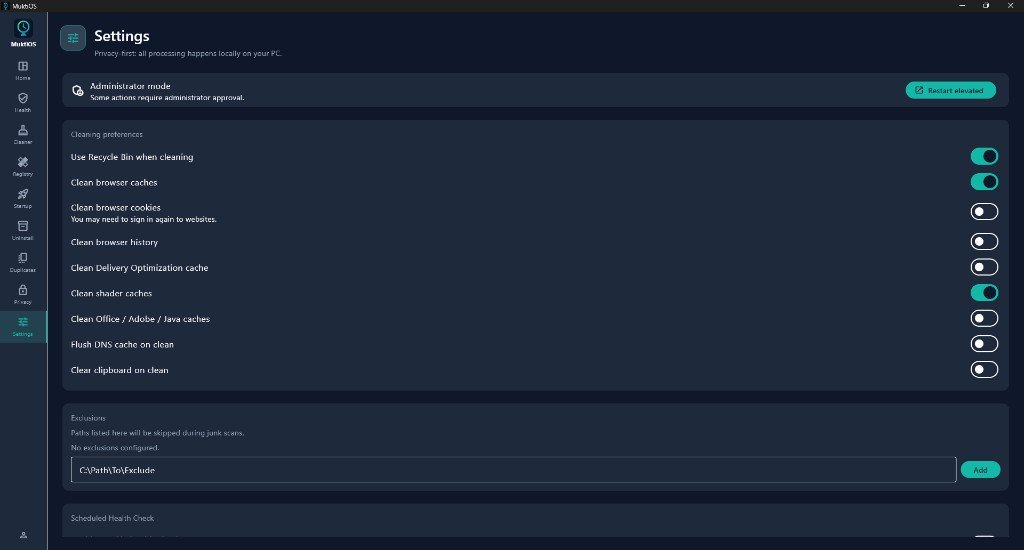
System dashboard, registry cleaner, startup manager, uninstaller, and settings — from production builds.
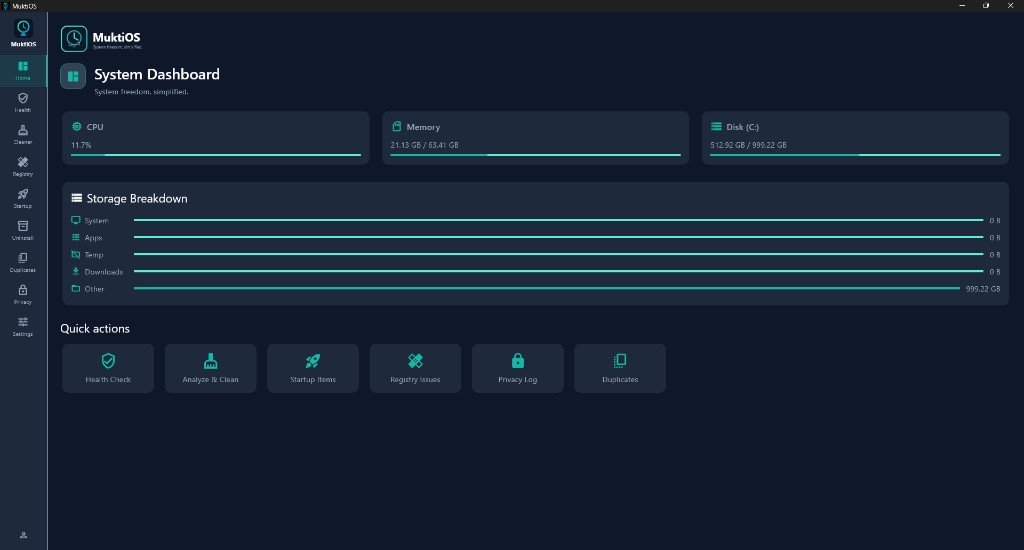
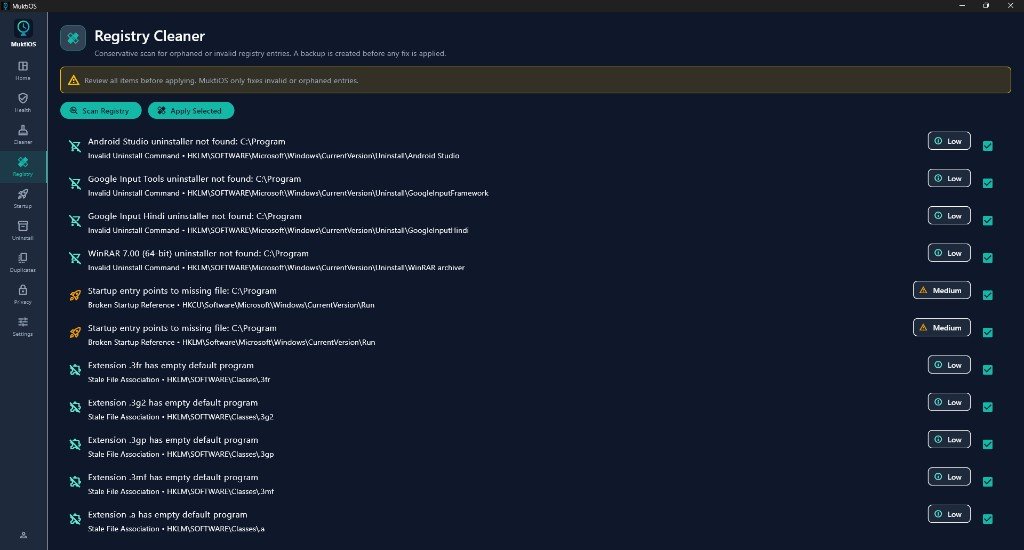
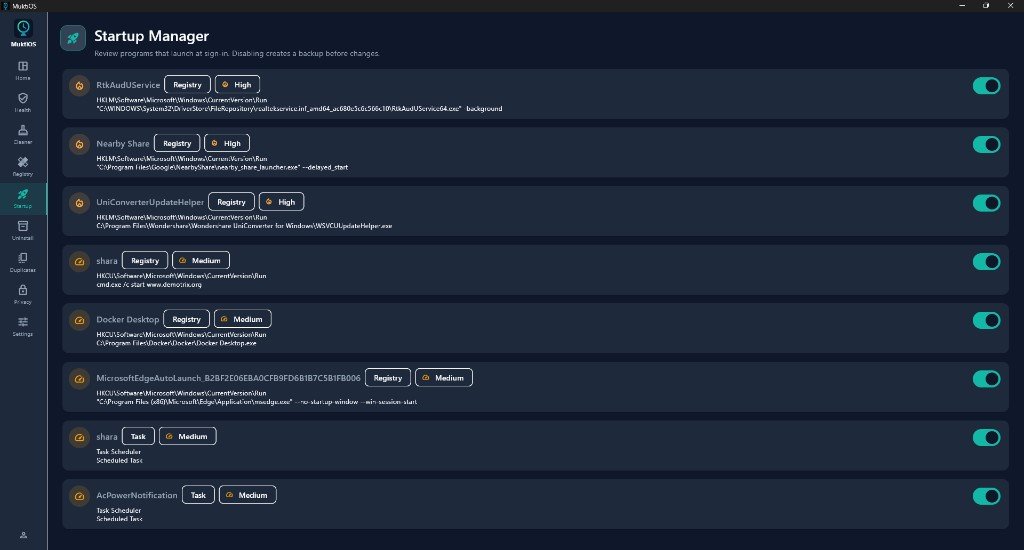
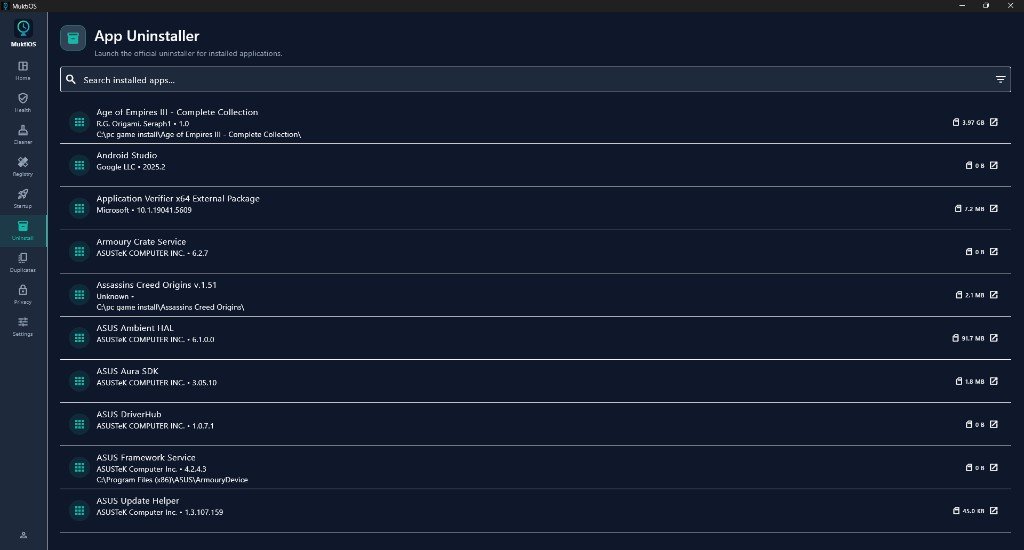
Answers about downloads, privacy, registry safety, junk cleaning, startup management, and how MuktiOS compares to CCleaner.
MuktiOS by Sharad Khare is a free, open-source Windows PC cleaner and system utility. It combines junk file cleanup, startup management, app uninstallation, conservative registry repair, duplicate file finding, and a privacy dashboard in one lightweight desktop app. Tagline: System freedom, simplified. Official page: sharadkhare.in/product/muktios/.
MuktiOS is created and maintained by Sharad Khare — AI Strategist, Full Stack Developer, and creator of Samaya, Yonah, Setum, KARTA, ChatVec, PayStrate, and Yajna AI. Learn more at sharadkhare.in/about/.
Download MuktiOS-Setup-1.0.0.exe from GitHub Releases linked at sharadkhare.in/product/muktios/ — the official product page with features, screenshots, FAQs, and SHA256 verification instructions.
Yes. MuktiOS is free and open source on GitHub at github.com/sharadkhare/muktios. No ads, no bundled junk, and no upsell traps.
No. MuktiOS processes everything locally on your PC. No telemetry is collected by default. Your clean history, settings, and backups stay on your machine — no cloud sync and no hidden analytics.
MuktiOS uses a conservative registry scan for orphaned or invalid entries only. A mandatory backup is created before any registry fix is applied, and you can restore from that backup at any time.
MuktiOS supports Windows 10 and Windows 11 (64-bit). Download the official installer from sharadkhare.in/product/muktios/ or GitHub Releases.
MuktiOS is a privacy-first, open-source Windows system utility with no ads, no bundled software, and a strict review-before-delete workflow. It focuses on junk cleaning, startup management, app uninstallation, and safe registry repair — without upsells or cloud dependencies.
MuktiOS cleans temp files, browser caches, shader caches, and other reclaimable clutter. You choose Standard, Browser only, or Deep clean profiles, review every item before deletion, and can send files to the Recycle Bin first. Granular toggles cover cookies, history, DNS cache, Office/Adobe/Java caches, and more.
Yes. The Startup Manager lists programs from the registry and Task Scheduler with impact tags. Disabling any item creates an automatic backup so you can restore it later.
Yes. MuktiOS offers optional scheduled health checks via Windows Task Scheduler and optional scheduled auto-clean — both require explicit user consent.
AI Strategist | Predictive Astrological Intelligence | Full Stack Developer | Business & Finance Decision Architect
Sharad Khare is the creator of MuktiOS, alongside Samaya (Vedic astrology), Yonah (interactive coding), Setum (LAN sharing), KARTA (daily planner), ChatVec (site assistant), PayStrate (payment demo), and Yajna AI (AI workspace).
Found a bug or have a suggestion? Open an issue on GitHub or reach out through sharadkhare.in.
MuktiOS processes everything locally on your PC. No telemetry is collected by default. Your clean history, settings, and backups stay on your machine. Download official builds from GitHub Releases linked on this page.
MuktiOS · System freedom, simplified · by Sharad Khare