1
You ask or pick a prompt
Type a question or tap a guided chip — talk to your data about products, downloads, or policies.

Free · Live demo · No sign-up
Talk to your data. Find your answers.
The intent-guided assistant on sharadkhare.in — ask about products, downloads, policies, book, and portfolio paths. Curated answers with official links, built by Sharad Khare.
The widget on this page is the real product. Screenshots below are captured from the live demo — open ChatVec and try the same flows yourself.

Use the ChatVec launcher in the bottom-right corner, or open the panel here and try a sample question:
Sample prompts:
Tip: type menu inside ChatVec to reopen guided topics, or Reset to clear the conversation.
Jump to features, how it works, screenshots, live demo, or FAQ.
Ask about Samaya, Yonah, Setum, KARTA, the book, policies, and collaboration — ChatVec maps questions to curated answers.
On product pages, ChatVec surfaces relevant shortcuts — Windows download on Samaya, certificate verify on Yonah, and more.
Institutional, Research Reader, Project Explorer, and General Visitor modes tailor guided chips without an account.
Product icons, descriptions, and comparison cards help you find the right answer faster.
Type a question or tap a guided chip — talk to your data about products, downloads, or policies.
Rule-based intent matching scores phrases and keywords, with boosts on the page you are viewing.
Official product pages, download links, PDFs, and policy pages — plus follow-up chips for the next step.
Honest by design: ChatVec is intent-guided navigation over structured site data — not open-ended generative AI like ChatGPT. You get official links and guided next steps, not invented answers.
Captured from the live ChatVec widget on sharadkhare.in — open the demo above to interact with the same UI.
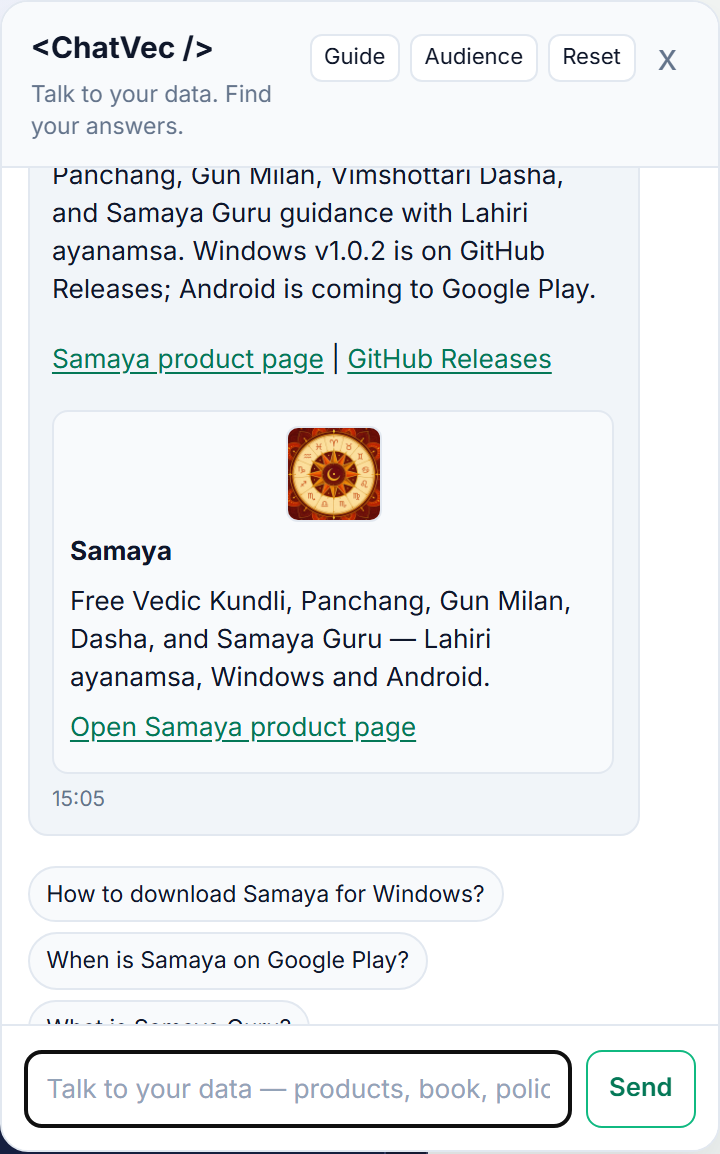
ChatVec is the site assistant on sharadkhare.in. Tagline: Talk to your data. Find your answers. It helps visitors find product pages, downloads, policies, and collaboration paths through intent-guided prompts — no manual searching.
ChatVec is an intent-guided site assistant — not a general-purpose AI chatbot. It matches your questions to curated answers, guided prompts, and official links across Sharad Khare products so you can find what you need on sharadkhare.in faster.
ChatVec runs on every page of sharadkhare.in. Tap the ChatVec launcher in the bottom-right corner, or visit sharadkhare.in/product/chatvec/ and click Open live demo. You can also add ?demo=1 to the product page URL to open the panel automatically.
ChatVec collects limited interaction metadata for navigation quality — prompt clicks, resolved or fallback outcomes, route context, event type, and timestamp. Conversation text is not used for individualized profiling. Do not submit sensitive personal data through prompts. See the Privacy Policy for full details.
No. ChatVec works immediately for any visitor. Optional audience modes (Institutional, Research Reader, Project Explorer, General Visitor) tailor guided prompts without creating an account.
ChatVec is embedded on sharadkhare.in — the portfolio site for Sharad Khare products. It loads site-wide and helps you find answers across Samaya, Yonah, Setum, KARTA, the free book, projects, and policies.
Open ChatVec and tap Reset in the panel header, or type menu to reopen guided topics. Reset clears the local conversation stored in your browser.
ChatVec is built by Sharad Khare — the same developer behind Samaya (Vedic astrology), Yonah (interactive coding), Setum (LAN sharing), and KARTA (offline planner). Learn more at sharadkhare.in.
ChatVec helps you navigate sharadkhare.in and Sharad Khare products. It does not provide personal predictions, legal advice, or investment recommendations. See the Disclaimer and Privacy Policy.