Discover & connect
- Auto-discover nearby Setum devices via mDNS
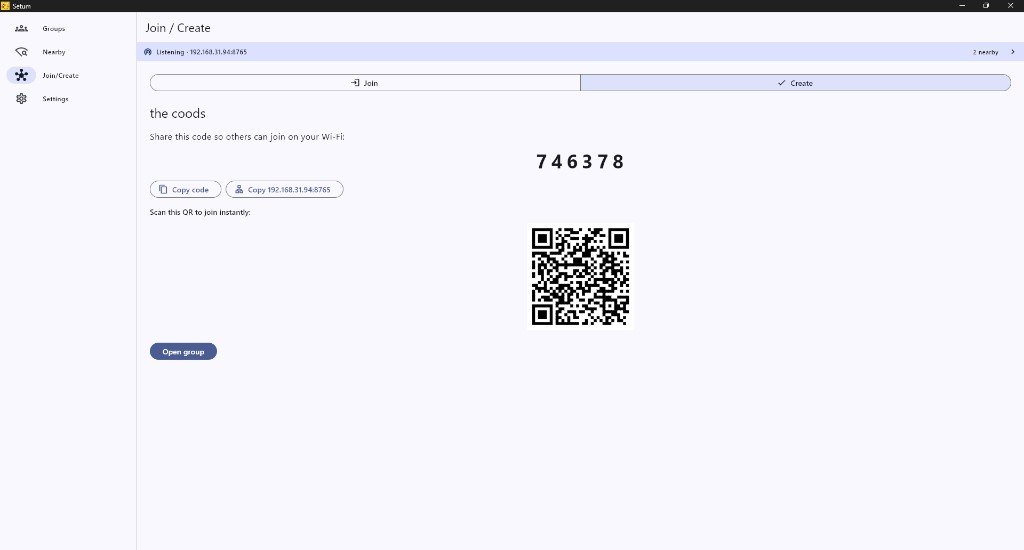
- Create groups with a 6-digit join code
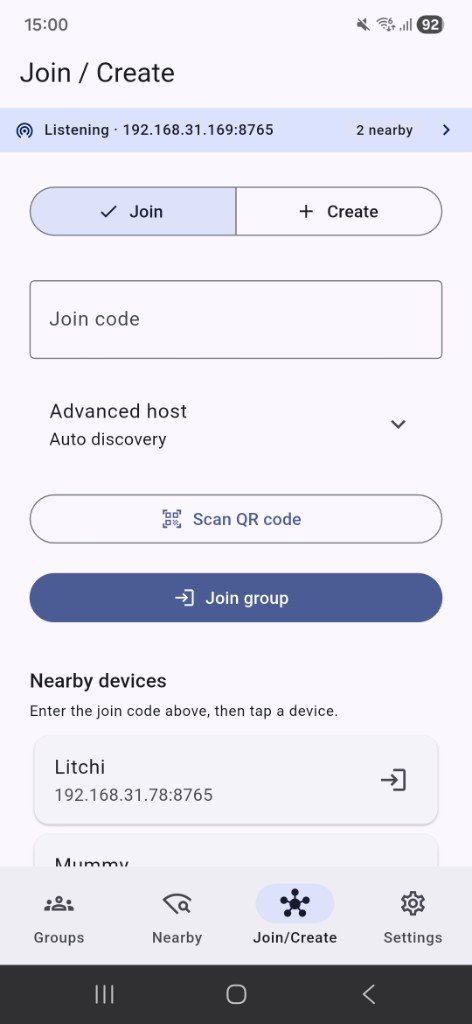
- Join by code, QR scan, or manual IP fallback on Windows
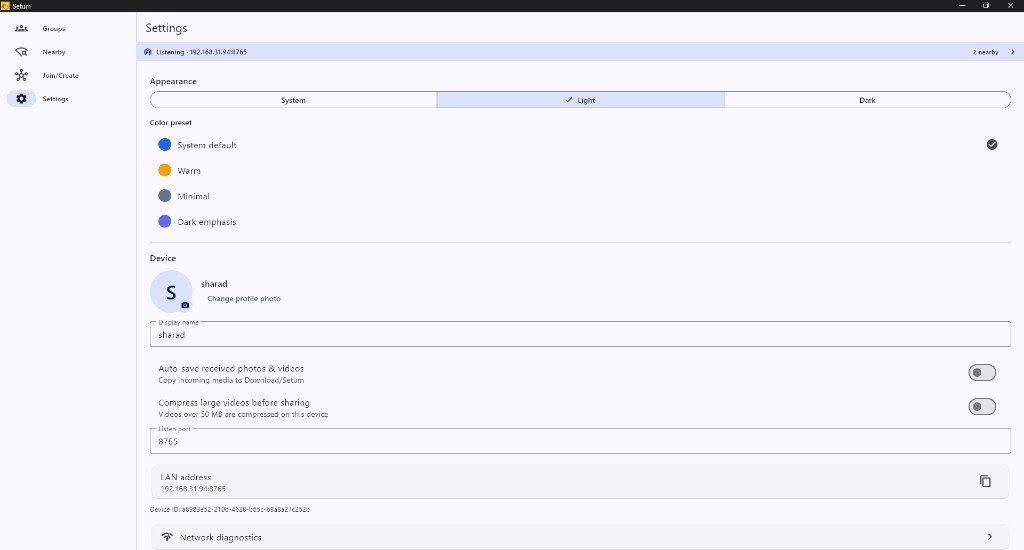
- Network diagnostics screen

Free · LAN sharing · Android & Windows · No cloud
Setum — The bridge that brings people together
AI Strategist | Predictive Astrological Intelligence | Full Stack Developer | Business & Finance Decision Architect
Setum is a free cross-platform app for local network (LAN) group media sharing. Devices on the same Wi‑Fi discover each other, form groups, and share photos, videos, and documents peer-to-peer over HTTP — no cloud, no account, no upload limits — by Sharad Khare.
The bridge that brings people together.
Official builds are published on GitHub Releases. Download only from the links below — not third-party mirrors.
Setum v1.0.0 for
Windows 10 or later. Download setum-1.0.0-windows.exe from GitHub Releases.
If the app does not start from the .exe alone, use the Windows .zip — it includes
required DLL files from the full Release build.
Setum v1.0.0 for
Android 7.0+ (API 24+). Download setum-1.0.0-android.apk from GitHub Releases
and install on a device connected to the same Wi‑Fi network as other Setum users.
App: Setum · OS: Android 7.0+, Windows 10+ · Network: Same Wi‑Fi required · Price: Free (₹0)
Jump to downloads, features, screenshots, and FAQ in one tap.
Discover nearby devices, join by code or QR, and share on your local network.
Setum is a free cross-platform Flutter app for local network (LAN) group media sharing. Devices on the same Wi‑Fi discover each other via mDNS, form groups with a 6-digit join code, and share photos, videos, and documents peer-to-peer over HTTP — without uploading to the cloud or creating an account.
Whether you are sharing vacation photos with family, handing off documents in a meeting room, or moving media between your phone and PC, Setum keeps transfers on your local network — fast, private, and free.
Everything you need for local group file and media sharing.
Create groups with QR codes, configure your device, and run network diagnostics.
Join by code, scan QR, or pick a nearby device on the same Wi‑Fi.
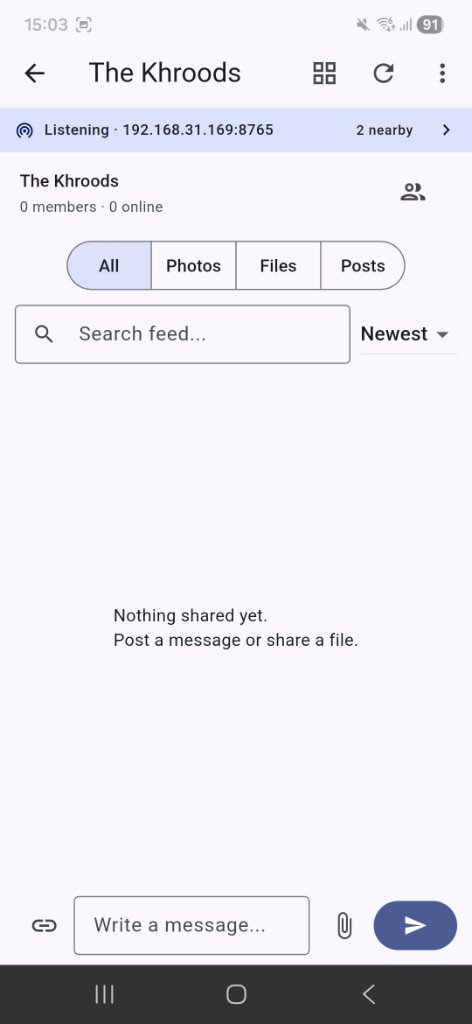
Answers about Wi‑Fi requirements, joining groups, downloading from GitHub Releases, and how Setum keeps files on your local network.
Setum is a free LAN file and media sharing app for Android and Windows. People on the same Wi‑Fi network can discover each other, join a group, and share files directly between devices — no cloud upload, no account, and no file size limits imposed by Setum.
Yes. Setum is designed for local network sharing. All devices must be connected to the same Wi‑Fi (or LAN) so they can discover each other and transfer files over the local network.
Create a group to get a 6-digit join code, or join an existing group by entering the code, scanning a QR code, or using manual IP entry on Windows when mDNS discovery is unavailable.
Download the official APK from the Setum GitHub Releases page linked on sharadkhare.in/product/setum/. Install the APK on Android 7.0 or later. Enable install from unknown sources only for this official download — not third-party mirrors.
Download Setum for Windows from GitHub Releases. Use the .exe installer, or the .zip package if the standalone .exe does not start — the zip includes required DLL files from the full Release build.
No. Setum transfers files directly between devices on your local network over HTTP. Your media stays on your Wi‑Fi — there is no cloud storage, no central server, and no account required.
Yes. On Android you can share photos, videos, and documents into Setum from other apps using the system share sheet. Setum then sends them to online members of your group.
Setum includes an offline send queue with automatic retry when peers come back online. You can also verify file integrity with SHA-256 checksums and detect duplicates.
Yes. Setum v1.0.0 is free to download and use on Android and Windows. Official builds are published on GitHub Releases and linked from sharadkhare.in/product/setum/.
Setum is built by Sharad Khare — the same developer behind Samaya (Vedic astrology app) and Yonah (interactive coding platform). Learn more at sharadkhare.in.
AI Strategist | Predictive Astrological Intelligence | Full Stack Developer | Business & Finance Decision Architect
Sharad Khare is the creator of Setum, alongside Samaya (Vedic astrology) and Yonah (interactive coding platform).
Questions or feedback? Reach out via the links above.
Setum transfers files directly between devices on your local network. It does not require an account and does not upload your files to a central cloud server. Use Setum only on networks you trust, and download official builds from GitHub Releases linked on this page.
Setum · LAN File & Media Sharing · by Sharad Khare