AI Strategist | Predictive Astrological Intelligence | Full Stack Developer | Business & Finance Decision Architect
Crmnode is a full sales workspace with leads, pipeline,
deals, tasks, campaigns, support,
automation, and live analytics — prefilled with realistic demo data from day one.
Drag deals, convert leads, toggle workflows, and ask the demo AI assistant about your session.
Built by Sharad Khare.
Live demo on web, Windows & Android — no signup. iOS & macOS in development.
Live demo10 CRM modulesWeb · Windows · AndroidGuided tourAI assistant
Walk through a complete CRM on web, Windows, or Android — realistic leads, contacts, deals, and tasks with live KPIs.
Open demo.sharadkhare.in (or install the Windows or Android build), explore the unified dashboard, score and qualify leads,
drag deals across pipeline stages, run reports, toggle automation rules, and use global search or the demo AI assistant — all without creating an account.
After opening the demo, choose Explore Live Demo, then tap Start Guided Tour in the app header. The walkthrough covers the dashboard, leads, contacts, deals, tasks, reports, search, and the demo AI assistant.
Crmnode is a free, interactive CRM demo built by Sharad Khare — a full sales workspace with leads, pipeline, deals, tasks, campaigns, support, automation, and live analytics. Available on web, Windows, and Android with fully interactive session CRUD, realistic prefilled data, live KPIs, guided tour, global search, notifications, and a demo AI assistant. iOS and macOS versions are in active development. No signup or backend required for the demo.
Whether you are a sales leader comparing CRM UIs, a founder who needs pipeline visibility without a week of setup,
or an agency showcasing CRM capabilities to clients, Crmnode demonstrates how modern sales software should feel —
before you commit to a production build.
Platform highlights
Designed for instant exploration, client demos, and CRM evaluation.
Platform highlights
10 CRM modules in one unified sales workspace
Web, Windows, and Android — same CRM workspace on every platform
Fully interactive — add records, move deals, edit data in your session
Prefilled demo data — realistic leads, contacts, deals, and tasks
Live KPIs — dashboard and reports update as you work
No signup required — explore every feature immediately
Guided discovery
Step-by-step guided tour of dashboard, leads, contacts, deals, tasks, reports, search, and AI assistant
Record detail drawers with editable fields, activity timelines, and related records
Use the web demo for instant access, or install native builds for Windows and Android walkthroughs.
Web application
Recommended for instant demos and quick evaluations. Runs at demo.sharadkhare.in with no install.
Windows
Desktop build for offline walkthroughs, client presentations, and sales-team evaluations on PC.
Android app
Mobile CRM access for reps on the go — pipeline, leads, tasks, and notifications from your phone.
iOS and macOS versions are currently in active development.
Why Crmnode?
How Crmnode compares for teams evaluating sales tooling.
Feature
Crmnode
Spreadsheets
Generic CRM
Lead scoring
✓Yes
—No
✓Yes
Visual pipeline
✓Yes
—No
✓Yes
Automation
✓Yes
—No
✓Yes
AI assistant
✓Yes
—No
—No
Setup time
0 min
Hours
Days
Perfect for sales teams evaluating a modern CRM UI, founders who want pipeline visibility, agencies showcasing CRM to clients,
and prospects exploring Sharad Khare's full-stack product work.
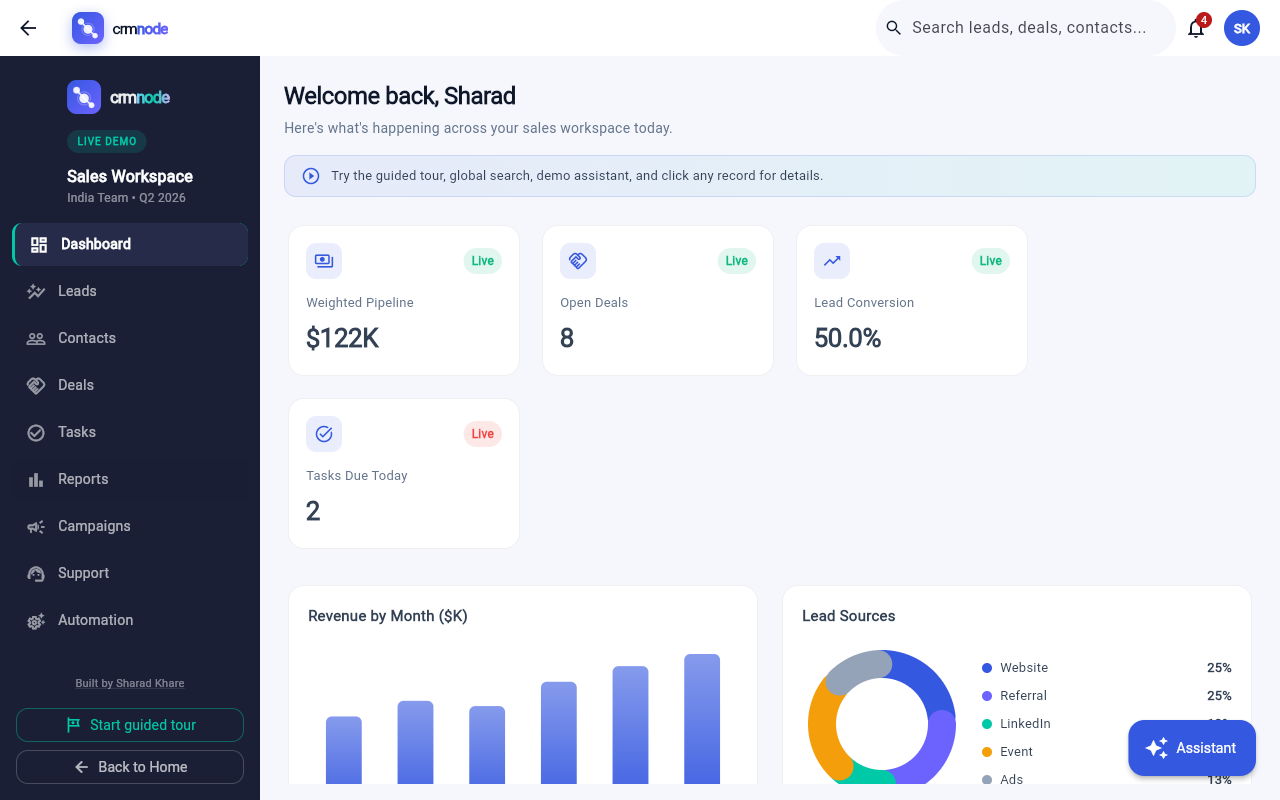
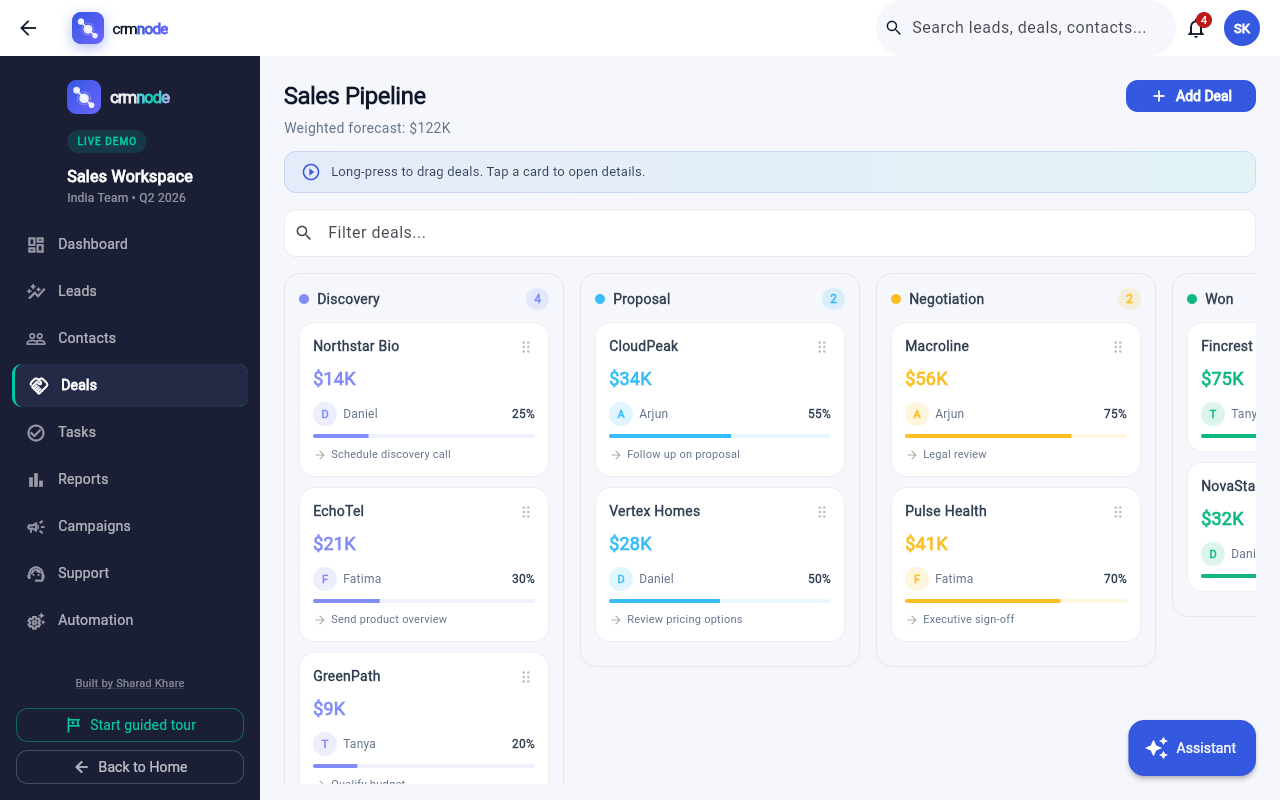
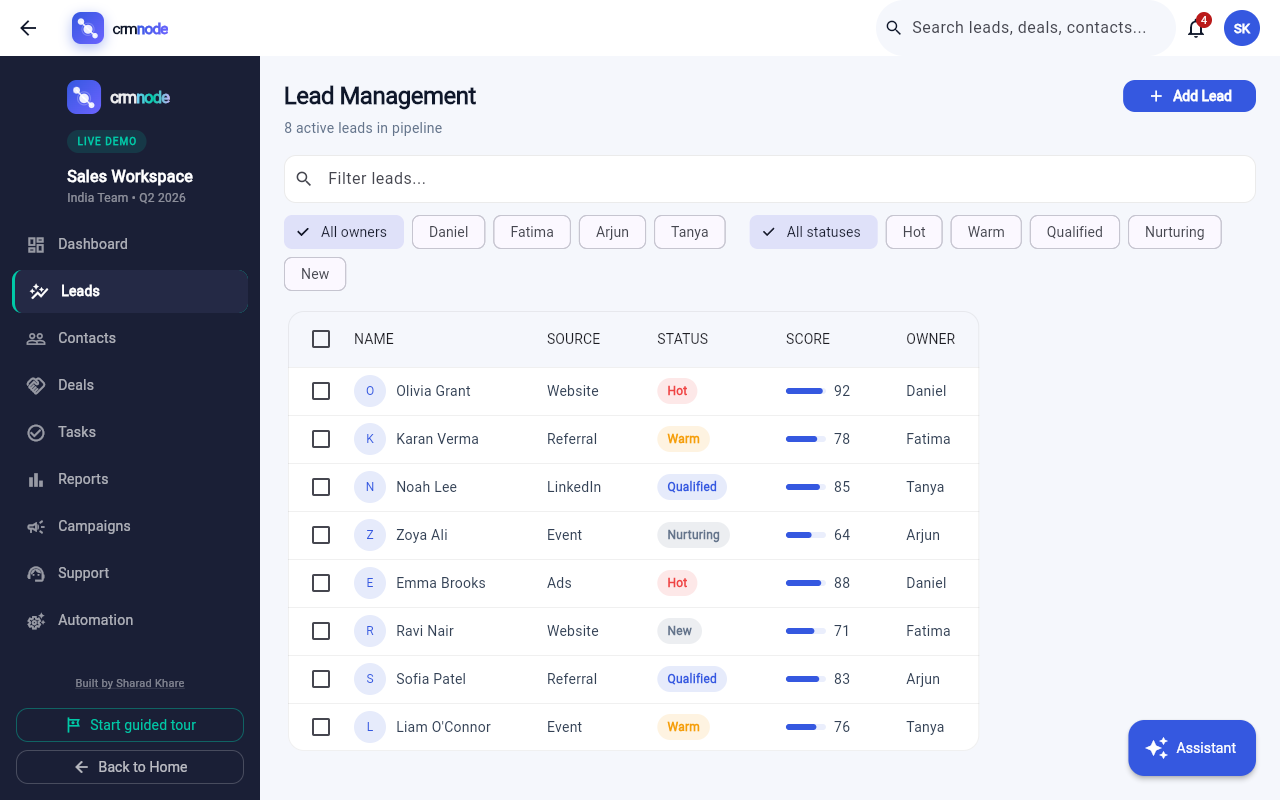
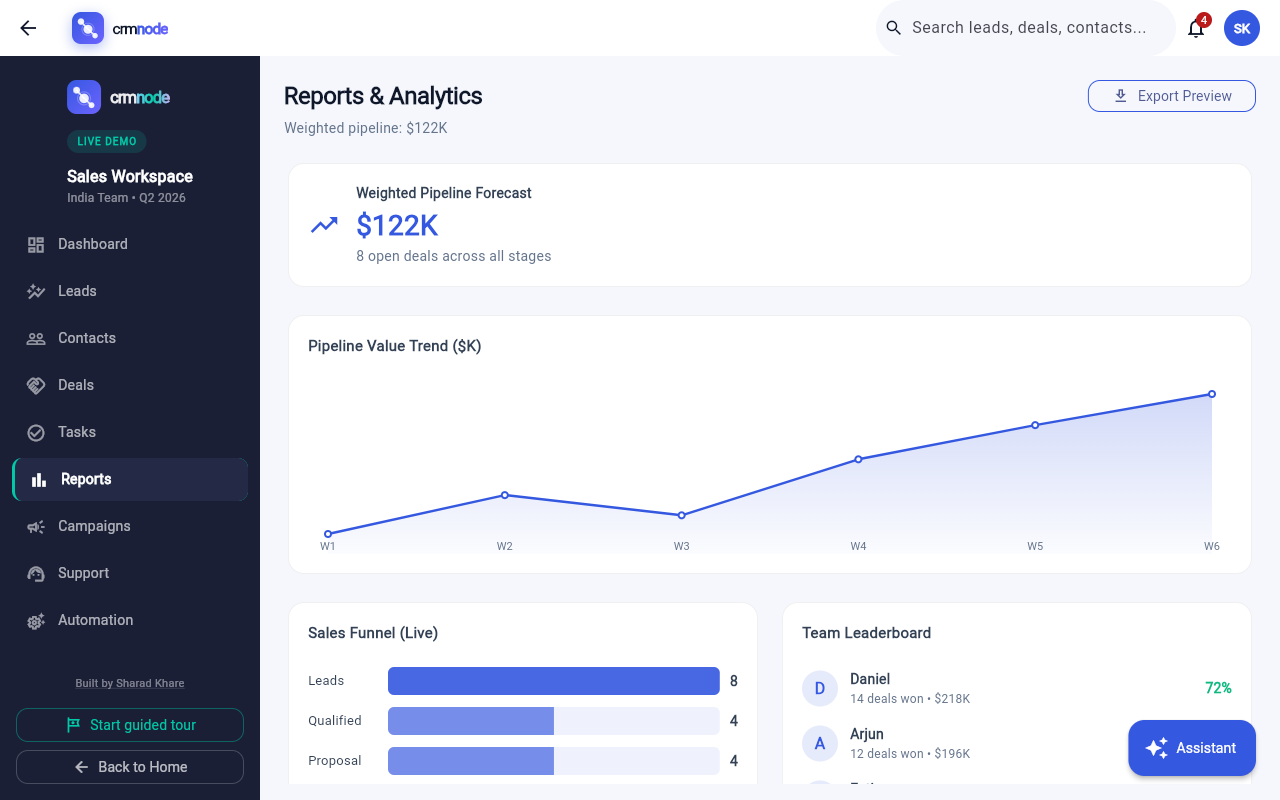
Screenshots — Crmnode sales workspace
Live demo captures from demo.sharadkhare.in — dashboard, pipeline, leads, and reports.
Unified dashboard
Unified dashboard — live KPIs, revenue chart, and activity feed
Visual pipeline — drag-and-drop deal stages
Lead management with scoring and filters
Reports and analytics — funnel and forecast
FAQ — Crmnode interactive CRM demo
Common questions about Crmnode, CRM modules, platforms, the guided tour, demo AI assistant, and production CRM builds.
What is Crmnode?
Crmnode is a free, interactive CRM demo built by Sharad Khare. It is a full sales workspace with 10 modules — dashboard, leads, contacts, pipeline, tasks, reports, campaigns, support, automation, and settings — with realistic prefilled data and no signup required.
Is Crmnode a real CRM or a demo?
Crmnode at demo.sharadkhare.in is a browser-based demo with session persistence in your browser. There is no backend or account system — everything runs client-side so you can explore CRM workflows instantly. Contact Sharad Khare for production CRM builds.
Do I need to sign up to use Crmnode?
No. Crmnode opens instantly in your browser with realistic prefilled leads, contacts, deals, and tasks. You can add records, move deals, toggle automations, and explore all 10 modules immediately.
What CRM modules are included in Crmnode?
Crmnode includes Unified Dashboard, Lead Management, Contact Management, Visual Pipeline (Deals), Task Center, Reports & Analytics, Campaigns, Support Desk, Automation, and Settings & Integrations.
Does Crmnode have a guided tour?
Yes. Crmnode includes a step-by-step guided tour covering the dashboard, leads, contacts, deals, tasks, reports, global search, and the demo AI assistant. Start it from the live demo landing page.
What is the Crmnode demo AI assistant?
The demo AI assistant answers questions like “Summarize pipeline”, “Top leads this week”, “Tasks due today”, and “Forecast this quarter” using your live session data — not static canned responses.
Which platforms does Crmnode support?
Crmnode is available now on Web Application, Windows, and Android. iOS and macOS versions are currently in active development. The live web demo runs at demo.sharadkhare.in with no signup required.
How is Crmnode different from ErpNode?
Crmnode focuses on sales CRM — leads, pipeline, deals, campaigns, support, and sales analytics. ErpNode is a broader ERP demo covering projects, timesheets, billing, HR, and compliance for service-led businesses. Both are built by Sharad Khare.
Who created Crmnode?
Crmnode is created and maintained by Sharad Khare — AI Strategist & Full-Stack Developer at Nakshatra InnoTech. Learn more at sharadkhare.in.
Ready to explore Crmnode?
Launch the live demo built by Sharad Khare. Drag deals, convert leads, toggle workflows, and browse all
10 modules — with realistic prefilled data and zero signup.
Crmnode is a demo-ready sales workspace that can be transformed into customer-specific production CRM deployments —
custom modules, integrations, workflows, and reports. Contact
Sharad Khare to scope your requirements.