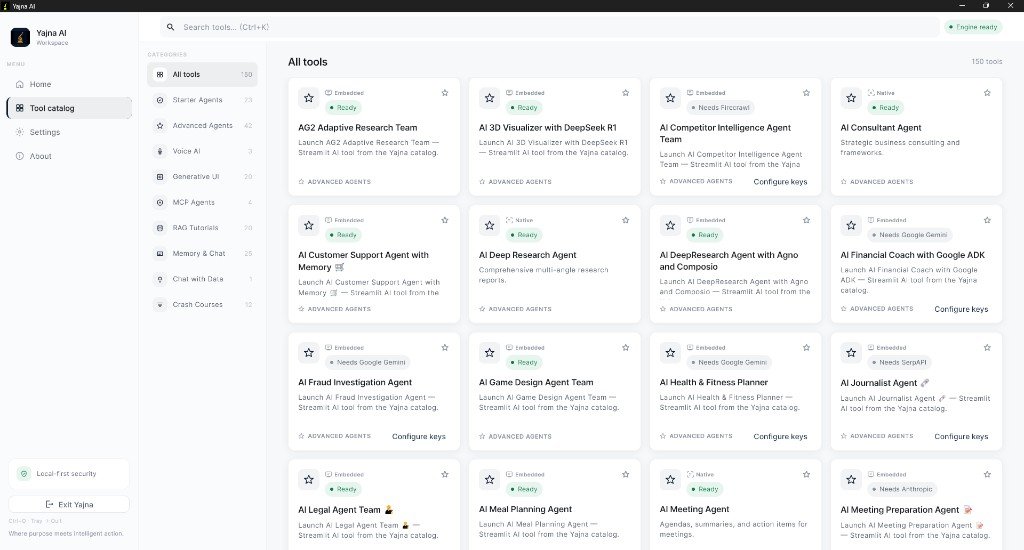
Tool catalog
- Browse 150+ AI agents in one place
- Categories: Starter, Advanced, Voice AI, RAG, MCP, Memory & Chat, Generative UI, Crash Courses
- Search by name or description
- Featured tools, pin favorites, recently used

Free · Windows · 150+ AI tools · Local keys · Ollama
Windows desktop workspace for 150+ AI agents & RAG tools — Where purpose meets intelligent action
AI Strategist | Predictive Astrological Intelligence | Full Stack Developer | Business & Finance Decision Architect
Yajna AI is a Windows desktop workspace that unifies 150+ AI agents and RAG tools into one purposeful application. Bring your own API keys — encrypted and stored on your device — or run local models via Ollama. Browse a categorized catalog, launch native streaming chat tools, or run embedded agents inside the app — by Sharad Khare.
Where purpose meets intelligent action.
Official builds are published on GitHub Releases. Download only from the links below — not third-party mirrors.
Yajna AI v1.0.0 for
Windows 10 or 11 (64-bit). Download YajnaAI-Setup-1.0.0.exe from GitHub Releases.
SmartScreen notice: Unsigned builds may show Windows protected your PC on first run. Click More info → Run anyway.
App: Yajna AI · OS: Windows 10+ · Price: Free (bring your own API keys or use Ollama)
Jump to downloads, features, built-in tools, screenshots, and FAQ in one tap.
Discover, organize, and run specialized AI agents from one Windows workspace.
Yajna AI by Sharad Khare is a free Windows desktop workspace that unifies 150+ AI agents and RAG tools into one purposeful application. Browse a categorized tool catalog on sharadkhare.in, add API keys for OpenAI, Gemini, Anthropic, SerpAPI, Firecrawl, ElevenLabs, and xAI — credentials stay encrypted on your device — or run local models via Ollama. Ten core tools offer native streaming chat in the app; the rest launch as full experiences inside Yajna AI with no external browser needed.
Yajna AI is not another single-purpose chatbot. It is a desktop command center for research, RAG, voice, multi-agent workflows, and specialized agents — with one installer and no extra setup required.
Tool catalog, API keys, local models, and two ways to run agents.
Native streaming chat built into the desktop app.
| Tool | What it does |
|---|---|
| AI Travel Planner | Plan trips with live search |
| OpenAI Research Agent | Multi-step research reports |
| Data Analyst Agent | Upload spreadsheets and ask questions |
| Blog to Podcast Agent | Turn blog posts into podcast scripts |
| Web Scraping AI Agent | Research and extract info from the web |
| xAI Finance Agent | Financial analysis |
| AI Deep Research Agent | In-depth research from multiple angles |
| AI Meeting Agent | Meeting agendas, summaries, action items |
| Chat with PDF | Upload a PDF and chat with it |
| AI Consultant Agent | Business strategy and consulting |
The remaining 140+ tools cover research, documents, voice, finance, coding, and more.
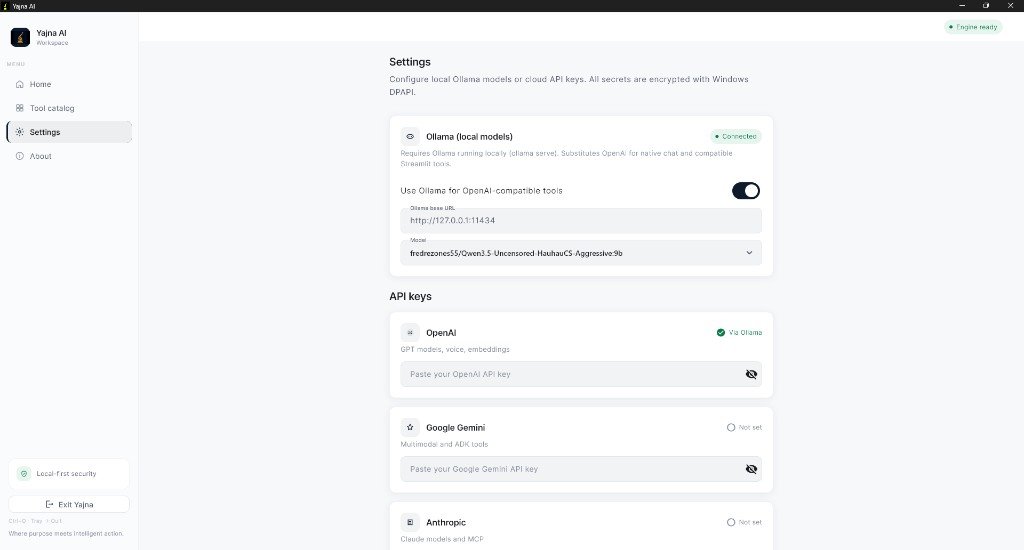
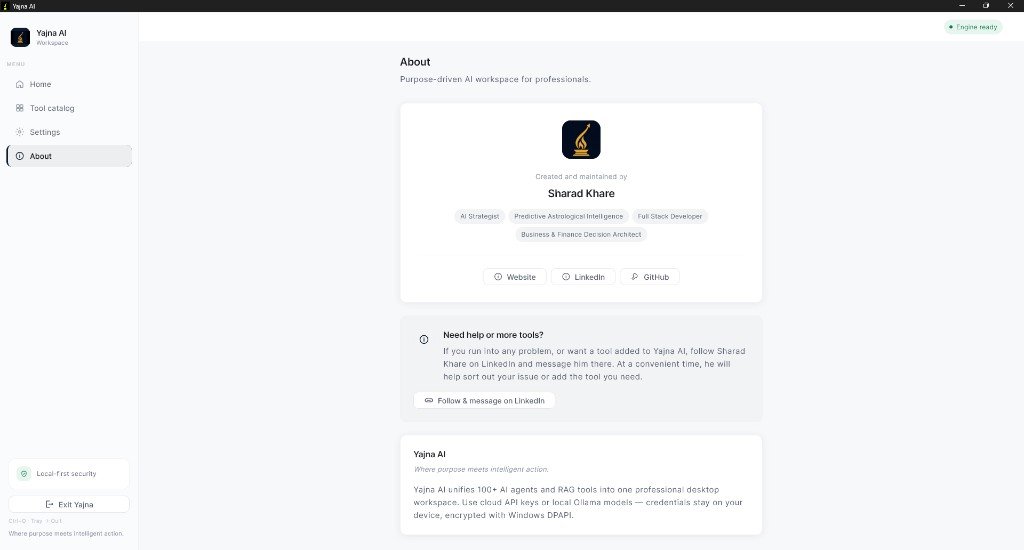
Home dashboard, tool catalog, settings, and about — from production builds.
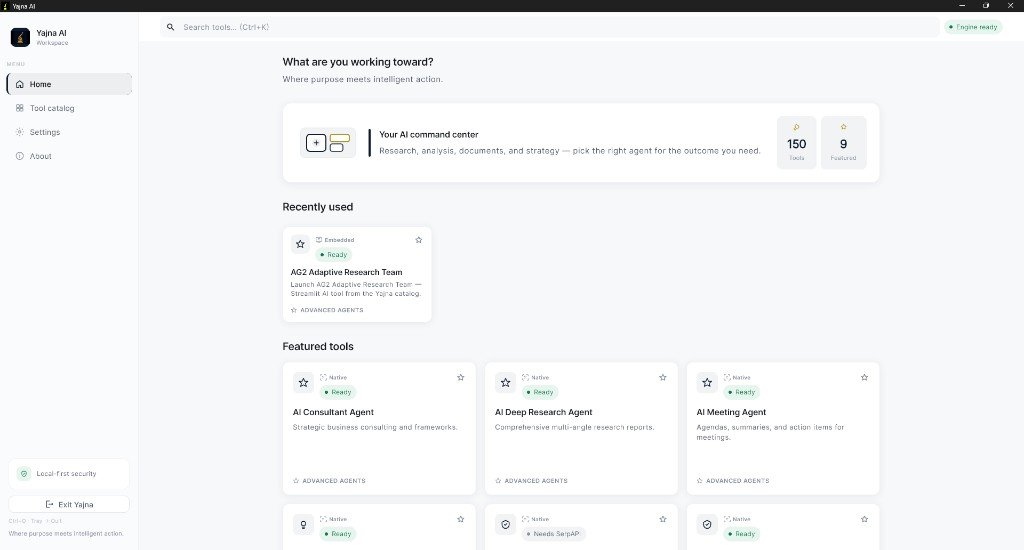
Answers about downloads, API keys, Ollama, native vs embedded tools, and local-first privacy.
Yajna AI by Sharad Khare is a free Windows desktop workspace that brings 150+ AI agents and RAG tools into one catalog. You add your own API keys or use local Ollama models, then discover, organize, and run specialized agents for research, documents, voice, finance, travel, business, and more — all from a single app. Official page: sharadkhare.in/product/yajna/.
Yajna AI is designed and built by Sharad Khare — AI Strategist, Full Stack Developer, and creator of Samaya, Yonah, Setum, KARTA, ChatVec, and PayStrate. Learn more at sharadkhare.in/about/.
The official Yajna AI product page is at sharadkhare.in/product/yajna/ — maintained by Sharad Khare with feature details, screenshots, FAQs, and a link to GitHub Releases for YajnaAI-Setup-1.0.0.exe.
Yajna AI requires Windows 10 or 11 (64-bit). Download the official installer from sharadkhare.in/product/yajna/ or GitHub Releases.
Download YajnaAI-Setup-1.0.0.exe from the official GitHub Releases page linked at sharadkhare.in/product/yajna/. Run the installer and launch Yajna AI from the Start menu. Complete onboarding, then open Settings to add API keys or enable Ollama.
Yajna AI supports API keys for OpenAI, Google Gemini, Anthropic, SerpAPI, Firecrawl, ElevenLabs, and xAI. Keys are stored locally on your device and encrypted there. The tool catalog shows which agents are ready to run and which keys are still missing.
Yes. If you have Ollama running locally, Yajna AI can route OpenAI-compatible tools through your local models. Enable Ollama in Settings and choose your model — no cloud API key required for compatible agents.
Yajna AI includes 10 built-in chat tools with streaming conversation in the app — including Travel Planner, Deep Research, Meeting Agent, Chat with PDF, and Consultant Agent. The other 140+ catalog tools launch as full embedded experiences inside the app — no external browser needed.
No. API keys stay on your device and are encrypted locally. Connections to the providers you configure run from your machine — credentials are not uploaded to a central cloud server.
The catalog includes Advanced Agents, Starter Agents, Voice AI, Generative UI, MCP Agents, RAG Tutorials, Memory & Chat, Crash Courses, and more — 150+ tools total. Search by name, filter by category, pin favorites, and see recently used tools on the home dashboard.
Yes. Yajna AI v1.0.0 by Sharad Khare is free to download. You bring your own API keys for cloud providers (usage billed by those providers) or use free local Ollama models. Official builds are linked from sharadkhare.in/product/yajna/.
AI Strategist | Predictive Astrological Intelligence | Full Stack Developer | Business & Finance Decision Architect
Sharad Khare is the creator of Yajna AI, alongside Samaya (Vedic astrology), Yonah (interactive coding), Setum (LAN sharing), KARTA (daily planner), ChatVec (site assistant), and PayStrate (payment demo).
Questions or want a tool added? Follow Sharad Khare on LinkedIn and message there.
API keys are stored locally on your device and encrypted there. Yajna AI keeps connections on your machine — credentials are not uploaded to a central cloud server. Download official builds from GitHub Releases linked on this page.
Yajna AI · Where purpose meets intelligent action · by Sharad Khare